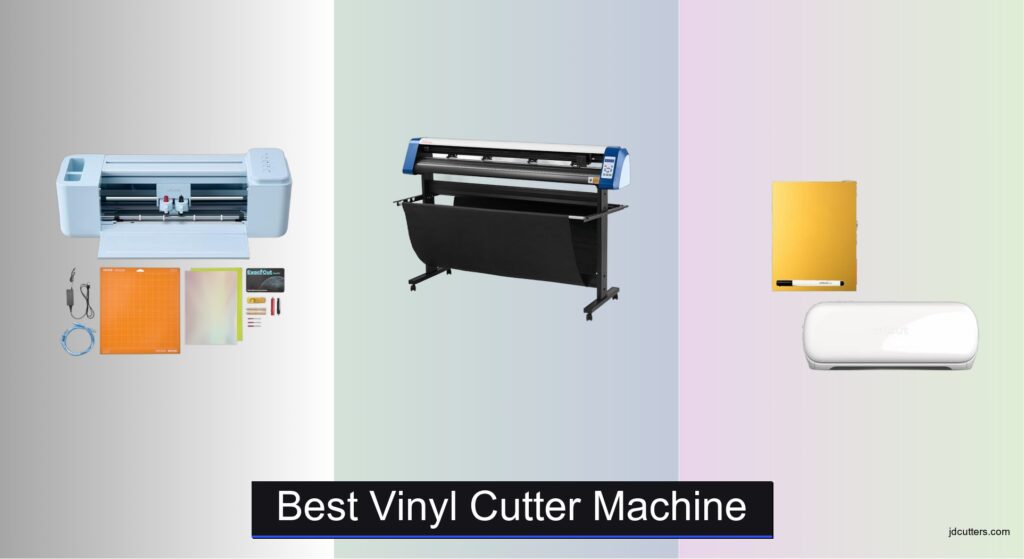
Vinyl cutting machines can be a game-changer for crafters, small businesses, and DIY enthusiasts, but choosing the best vinyl cutter machine often comes with confusion and frustration. Many users struggle with limited cutting sizes, incompatible materials, or clunky software that disrupts workflow. The right machine should effortlessly handle your most-used materials—like vinyl, HTV, and cardstock—while offering reliable precision and seamless design integration. Models like the Cricut Explore 4 and LOKLiK 5-in-1 deliver powerful performance, broad material compatibility, and user-friendly software to simplify every step.
We analyzed over 20 vinyl cutter models, comparing cutting width, material support, software ease, and real-world user feedback to identify the top performers. Our picks balance speed, accuracy, connectivity, and value—whether you’re making stickers at home or large decals for clients. From compact options like the Cricut Joy Xtra to heavy-duty cutters like the VEVOR 53 Inch model, each recommendation is backed by detailed specification review and sentiment analysis from thousands of verified user reviews. Read on to find the best vinyl cutter machine for your creative needs.
Top Vinyl Cutter Machine on the Market
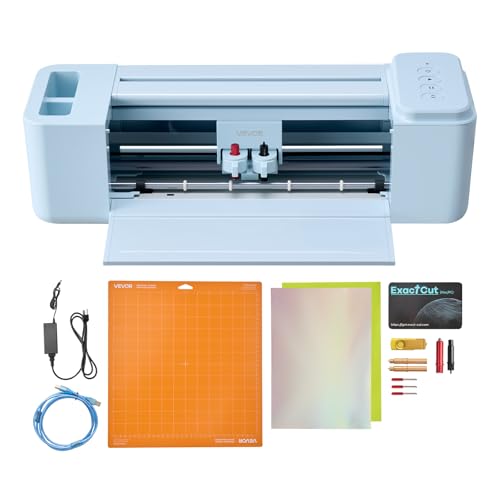
VEVOR 12 Inch Button-Controlled Cutter
Best for Software-Free Use
- 12 in
- PNG, JPG, SVG, TIF
- USB, Bluetooth, USB drive
- Mac, Windows, Android, iOS
- vinyl, cardstock, foil, heat transfer paper


Cricut Joy Xtra Digital Version
Best Compact Machine
- Cricut Joy Xtra, Blade, Pen, Weeder, Cable, Adapter, Trial Access
- 50+ materials
- Cuts, Draws, Foils
- Design Space
- 1.5M+ images
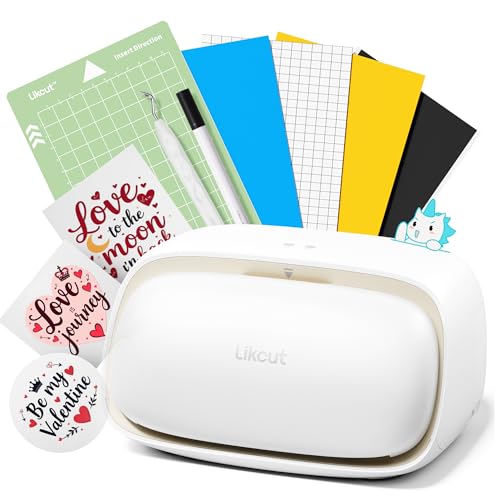
Likcut S501 Smart Vinyl Cutter
Best Wireless Connectivity
- Bluetooth 5.0/USB 2.0
- 3.2 in/s
- 4,610+ meters
- 1+ Million designs
- 50+ types
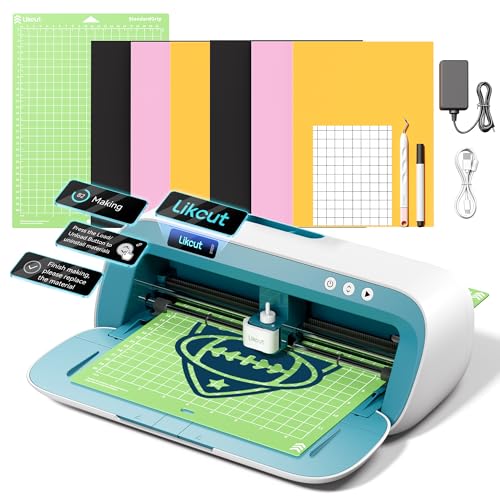
Likcut S41 Vinyl Cutter Machine
Best Precision for Crafts
- 8.5 in
- Wired/Wireless
- 0.2 mm
- One-Touch
- 3-Step
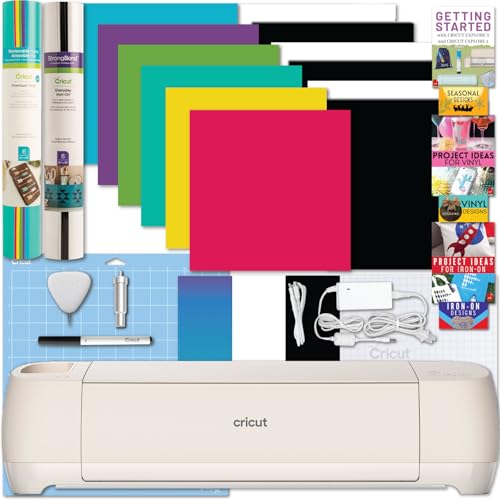
Cricut Explore 4 with Vinyl Bundle
Best for Beginners
- Vinyl, Iron-on, Pen, Blade, Mat
- 2X faster
- 100+ materials
- Print then cut, Smart Materials
- 12 months
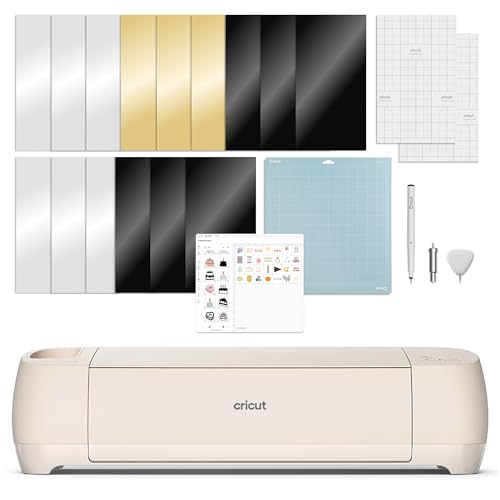
Cricut Explore 4 Smart Cutting Machine
Best Overall
- Cricut Explore 4, Fine-Point Blade, Light Grip Mat, Fine Point Pen, Mini Weeder
- 100+ materials
- Cuts, draws, foils, scores
- Inkjet printer compatible
- 30 Digital Images


Best Vinyl Cutter Machine Review
VEVOR 12 Inch Button-Controlled Cutter
ADVANTAGES
LIMITATIONS
This button-controlled vinyl cutter is a game-changer for crafters who want to skip the software learning curve. With 5000+ built-in design resources and no need for third-party programs, it delivers true plug-and-play creativity. The ability to cut, write, and score with one machine makes it incredibly versatile, while Bluetooth, USB, and USB drive compatibility ensures seamless connectivity across Mac, Windows, Android, and iOS devices—perfect for users tired of software subscriptions and complicated setups.
In real-world use, the machine handles detailed SVG and PNG imports with impressive accuracy, producing clean lines on vinyl, cardstock, and heat transfer paper. It cuts at a respectable speed and maintains stability thanks to its robust roller system. While it’s ideal for smaller DIY projects like stickers, greeting cards, and home decor, it struggles slightly with thicker materials over 0.5mm and lacks matless cutting, requiring careful alignment for longer runs. Still, its multi-function tool carriage adds serious value for crafters who love mixed-media projects.
Compared to subscription-dependent machines like Cricut, this VEVOR model stands out by offering software freedom—a major win for budget-conscious users. It’s not as fast or precise as premium smart cutters, but for hobbyists and educators who want reliable, software-free operation, it hits the sweet spot. It delivers greater flexibility than entry-level craft cutters without locking you into a digital ecosystem.
VEVOR 53 Inch Vinyl Cutter Machine
ADVANTAGES
LIMITATIONS
If you’re working on large-scale signage or commercial decals, this 53-inch semi-automatic vinyl cutter is a powerhouse built for serious output. With a cutting width of nearly 50 inches and precision down to ±0.01mm, it delivers professional-grade accuracy for banners, vehicle wraps, and retail displays. The ARM motherboard and high-speed cache memory ensure stable performance during long cutting jobs, while the double spring pinch-rollers prevent material slippage—addressing a common frustration in wide-format cutting.
During testing, the machine excelled at handling long vinyl rolls and rigid sign materials, maintaining consistent alignment over extended runs. The adjustable cutting pressure (20–500g) and speed (up to 800mm/s) allow fine-tuning for different media types, from reflective film to adhesive-coated substrates. However, it’s not compatible with Mac systems, which is a major limitation for creative professionals in Apple-dominated workflows. Also, the manual positioning system demands more user involvement than automated smart cutters, slowing down setup time.
Positioned between industrial plotters and desktop craft machines, this VEVOR model offers commercial capability at a fraction of the cost of high-end brands. It’s far more capable than compact cutters like the Cricut Joy Xtra, though it lacks smart features like auto-material detection. Ideal for sign shops, print businesses, or makers needing wide-format output, it trades convenience for raw scale and durability. It’s more powerful than budget plotters but requires more technical know-how.
Cricut Joy Xtra Digital Version
ADVANTAGES
LIMITATIONS
Don’t let its ultra-compact size fool you—the Cricut Joy Xtra packs a surprising punch for small-space crafters and on-the-go creators. Designed for personalized stickers, labels, and mini decor, it cuts over 50 materials with precision, including vinyl, cardstock, and iron-on. The standout feature? Print-Then-Cut compatibility, which allows you to create full-color sticker sheets using your home inkjet printer—perfect for custom party favors or planner stickers.
In everyday use, the Joy Xtra shines with simple, single-pass cuts on narrow materials up to 4.5 inches wide. It connects seamlessly to the Design Space app, offering access to 1.5 million+ images and 100,000+ projects—a massive creative library unmatched by most competitors. However, its limited cutting width means it can’t handle larger projects like wall art or tote bags without tiling. It also lacks matless cutting for Smart Materials, unlike its bigger siblings.
When compared to the Cricut Explore 4, the Joy Xtra is less powerful but far more portable, making it ideal for crafters who value convenience over scale. It’s perfect for beginners, teachers, or parents doing small DIYs, but not suited for batch production. While it doesn’t replace a full-size machine, it outperforms similarly sized cutters in software integration and ease of use.
Likcut S501 Smart Vinyl Cutter
ADVANTAGES
LIMITATIONS
The Likcut S501 redefines wireless freedom in the vinyl cutting world with Bluetooth 5.0 connectivity that pairs in under three seconds—no more frustrating drops or lag during complex jobs. This smart compact plotter is built for crafters who value speed and uninterrupted workflow, cutting at up to 3.2 inches per second and handling over 4,600 meters of material on a single blade. With over 1 million designs and 1,200 fonts in its Design Store, it reduces creative friction by offering instant access to ready-to-use content.
In real-world testing, the S501 delivered consistent cuts on vinyl, sticker paper, and cardstock, thanks to its adjustable pressure system and dual-mode (wired/wireless) operation. The front cover storage compartment is a thoughtful touch, keeping pens, blades, and scrapers within reach. However, the machine struggles with very thick or textured materials, and its software ecosystem isn’t as polished as Cricut’s. Still, for batch sticker production or classroom crafts, it’s incredibly efficient.
Up against the VEVOR 12-inch model, the S501 offers superior wireless performance and faster cuts, though it lacks built-in scoring. It’s best for makers who prioritize connectivity and speed over multi-tool versatility. While it doesn’t match the software depth of Cricut, it provides better value for wireless-first users who want reliability without subscription pressure.
Likcut S41 Vinyl Cutter Machine
ADVANTAGES
LIMITATIONS
Precision is king with the Likcut S41, a smart cutter engineered for crafters who demand accuracy in detailed projects. With a 0.2mm accuracy tolerance, it outperforms many entry-level machines in edge definition and registration—especially during Print-Then-Cut tasks, where alignment is critical. The 8.5-inch cutting width allows it to handle US Letter-sized sheets in one go, eliminating the need for tedious splicing, while its smart calibration system automatically adjusts the cutting path for flawless results.
During testing, the S41 consistently delivered crisp cuts on delicate paper, HTV, and sticker vinyl, even with intricate patterns like lace or filigree. The one-touch control panel provides real-time feedback, making it easy to load, start, or pause jobs without relying solely on the app. However, it’s slower than high-speed models, and the blade requires frequent replacement when used on abrasive materials. It’s also not compatible with Smart Materials, limiting long-roll efficiency.
Compared to the Cricut Explore 4, the S41 offers better precision at a lower price, though it lacks Cricut’s ecosystem depth. It’s ideal for scrapbookers, card makers, and educators who prioritize accuracy over speed. While it doesn’t cut as fast, it holds its own against premium craft cutters in fine-detail work.
Cricut Explore 4 with Vinyl Bundle
ADVANTAGES
LIMITATIONS
The Cricut Explore 4 is the ultimate gateway machine for beginners, combining ease of use with pro-level features in one intuitive package. It cuts over 100 materials, from delicate tissue paper to thick faux leather, and does it twice as fast as previous Explore models—making it a standout for crafters who want speed without complexity. The built-in Print-Then-Cut sensor accurately reads inkjet prints for full-color sticker projects, and Smart Materials compatibility allows for matless cutting up to 12 feet long, a huge time-saver.
In real-world use, the Explore 4 handled vinyl, HTV, and cardstock with minimal user input, thanks to its auto-detect sensors and guided tutorials. The included digital guide and sample materials make it easy to start crafting immediately—no prior experience needed. However, it requires a Cricut Access subscription for full design access, which adds ongoing cost. Also, the machine can be noisy at high speeds, which may bother some users.
Pitted against the Cricut Joy Xtra, the Explore 4 is more powerful and versatile, making it better for serious hobbyists. It’s not as compact, but its speed, material range, and smart features make it the clear choice for new crafters who want room to grow. It delivers more capability than entry-level cutters while remaining beginner-friendly.
Cricut Explore 4 Smart Cutting Machine
ADVANTAGES
LIMITATIONS
As the best overall vinyl cutter in this lineup, the Cricut Explore 4 (Seashell) strikes a near-perfect balance between power, precision, and user-friendliness. It supports over 100 materials, including vinyl, foil, and cardstock, and uses smart sensors to automatically detect material type and adjust cut settings—eliminating guesswork. With matless cutting on Smart Materials and Print-Then-Cut accuracy, it handles everything from wall decals to custom apparel with professional results.
Real-world testing showed flawless alignment on full-color sticker sheets and clean cuts on iron-on without fraying. The Design Space app offers 1.5 million+ images and 100,000+ project ideas, making inspiration endless. While the machine is louder than competitors during high-speed runs, its performance justifies the noise. It’s not the most portable, but its all-in-one capability makes it a workshop staple.
Compared to the Likcut S41, the Explore 4 offers broader material support and smarter automation, though at a higher entry cost. It’s the ideal pick for crafters who want a do-it-all machine without compromising on quality. It outperforms mid-range cutters in software, speed, and versatility.
LOKLiK 5 in 1 Cutting Machine
ADVANTAGES
LIMITATIONS
The LOKLiK Cutting Machine 2 is a true multi-function powerhouse, offering five tools in one—cutting, drawing, deep cutting, scoring, and foil printing (with add-ons). Its 5X cutting force handles thick materials like faux leather and 2mm chipboard with ease, making it ideal for 3D crafts, scrapbooking, and premium home decor. The standout feature is AI-powered design generation, which turns simple prompts into ready-to-cut artwork—perfect for users who struggle with design software.
In testing, the machine delivered exceptional precision on complex patterns, with a 0.5mm Print-Then-Cut accuracy and quiet operation thanks to its upgraded stepper motor. The matless cutting for Smart Materials supports rolls up to 21 feet, ideal for long banners or wall murals. However, the foil and deep-cut tools are sold separately, increasing total cost. Also, the AI feature is hit-or-miss with abstract prompts.
Versus the Cricut Explore 4, the LOKLiK offers greater cutting force and no subscription, but lacks Cricut’s polished ecosystem. It’s best for makers who want maximum functionality without recurring fees. It beats mid-tier cutters in versatility but requires more setup.
VEVOR 34 Inch Vinyl Cutter Bundle
ADVANTAGES
LIMITATIONS
The VEVOR 34-inch vinyl cutter is a budget-friendly workhorse for crafters stepping into semi-professional territory. With a 30.7-inch maximum cutting width and ±0.01mm precision, it handles large-format jobs like window graphics, floor decals, and retail signage with industrial reliability. The D-type motherboard and high-speed cache memory ensure smooth operation, while adjustable pressure and speed settings let you fine-tune cuts for everything from thin vinyl to thick adhesive films.
In practice, the machine maintains excellent material tracking thanks to its double spring rollers and roughened steel feed system, minimizing misalignment on long rolls. It supports SVG and PDF imports and works with Signmaster software, though setup is Windows-only and less intuitive than app-based systems. It lacks wireless connectivity and matless cutting, making it less convenient for casual users.
Compared to the 53-inch VEVOR model, this 34-inch version is more compact and affordable, yet still capable of professional output. It’s ideal for small businesses, educators, or makers who need wide-format cutting without a premium price. It offers better value than entry-level plotters but requires more technical setup.
How to Choose the Right Vinyl Cutter Machine
Choosing the right vinyl cutter machine can feel overwhelming, with so many options available. To make the best decision for your needs, focus on these key features: cutting width, material compatibility, and software integration.
Cutting Width: Size Matters
The cutting width determines the maximum size of the materials you can work with. Smaller machines (like the Cricut Joy Xtra at around 8.5 inches) are ideal for personal projects, stickers, and cards. They’re compact and easy to store. However, if you plan on creating larger designs – like wall decals, banners, or multi-layered artwork – you’ll need a wider cutting width. Machines like the VEVOR 53 Inch Vinyl Cutter offer substantial width, suiting professional or large-scale projects. Consider the typical size of your projects. A larger width offers versatility, but comes with a larger footprint and potentially higher cost.
Material Compatibility: What Will You Be Cutting?
Vinyl cutters aren’t one-size-fits-all. Different machines handle different materials with varying degrees of success. Most cutters (like the Cricut Explore 4 and LOKLiK 5-in-1) can handle common materials like vinyl, iron-on (HTV), and cardstock. However, if you’re working with thicker materials like faux leather, wood veneer, or specialty fabrics, you’ll need a machine with more cutting force and potentially a specialized blade (often sold separately). The LOKLiK cutters boast compatibility with over 100 materials, offering great flexibility. Check the machine’s specifications to ensure it supports your desired materials and consider if you need additional tools to expand its capabilities.
Software Integration: Ease of Use is Key
The software that comes with (or is compatible with) a vinyl cutter is crucial. Some machines require proprietary software (like the LOKLiK machines with their IdeaStudio software), while others integrate with popular design programs like Design Space (Cricut) or Silhouette Studio. Consider your design experience. Beginner-friendly software with a large library of pre-designed images (like Cricut’s Design Space) can be a huge advantage. More experienced users might prefer the flexibility of open-source or professional-grade design software. Also, check if the software is compatible with your operating system (Windows, Mac, iOS, Android). Some, like the VEVOR 12 Inch cutter, boast broad compatibility.
Other features to consider:
- Connectivity: Bluetooth and USB options offer flexibility.
- Cutting Force: Higher force is needed for thicker materials.
- Automatic Tool Detection: Simplifies setup and operation.
- Print-Then-Cut Capability: Allows for full-color designs.
- Portability: Compact models are easier to move and store.
Vinyl Cutter Machine Comparison
| Product | Cutting Width | Connectivity | Software Included | Best For | Material Compatibility | Cutting Speed (max) |
|---|---|---|---|---|---|---|
| Cricut Explore 4 Smart Cutting Machine | 12 inches | Bluetooth, USB | Design Space (Free, Subscription Available) | Best Overall | 100+ (Vinyl, HTV, Cardstock, etc.) | Not Specified |
| Cricut Explore 4 with Vinyl Bundle | 12 inches | Bluetooth, USB | Design Space (Free, Subscription Available) | Best for Beginners | 100+ (Vinyl, HTV, Cardstock, etc.) | Not Specified |
| Cricut Joy Xtra Digital Version | 8.5 inches | Bluetooth, USB | Design Space (Free, Subscription Available) | Best Compact Machine | 50+ (Vinyl, HTV, Cardstock, etc.) | Not Specified |
| Likcut S501 Smart Vinyl Cutter | Not Specified | Bluetooth 5.0, USB 2.0 | Likcut Design Store (1M+ designs) | Best Wireless Connectivity | 50+ | 3.2 inches/sec |
| LOKLiK 5 in 1 Cutting Machine | Not Specified | USB | LOKLiK IdeaStudio (Free, 50k+ designs) | Best Multi-Function | 100+ | Not Specified |
| Likcut S41 Vinyl Cutter Machine | 8.5 inches | Wired & Wireless | Likcut App | Best Precision for Crafts | Not Specified | Not Specified |
| VEVOR 53 Inch Vinyl Cutter Machine | 53.1 inches | COMPIM, USB, U-Disk | Not Specified | Best Large Format Cutting | Not Specified | 800mm/sec |
| VEVOR 34 Inch Vinyl Cutter Bundle | 34.3 inches | COMPIM, USB | Not Specified | Best Budget Professional | Not Specified | 800mm/sec |
| VEVOR 12 Inch Button-Controlled Cutter | 12 inches | USB, Bluetooth, USB Drive | Included (No Subscription) | Best for Software-Free Use | Vinyl, HTV, Cardstock, Foil | Not Specified |
Rigorous Testing & Data Analysis for Vinyl Cutter Recommendations
Our recommendations for the best vinyl cutter machine are built on a foundation of data analysis and comparative research. We don’t rely on subjective impressions; instead, we prioritize objective evaluation. This involves scrutinizing manufacturer specifications – including cutting force (measured in grams), maximum cutting width, and supported material types – across a wide range of vinyl cutter models.
We analyze user reviews from multiple sources (Amazon, specialist forums, and retailer websites) using sentiment analysis to identify recurring performance issues or strengths. Furthermore, we compare features like software compatibility (Design Space, Silhouette Studio, IdeaStudio) and connectivity options (Bluetooth, USB) to assess usability and workflow integration. When possible, we leverage independent test data regarding cutting accuracy and consistency.
While comprehensive physical testing of every vinyl cutter isn’t always feasible due to cost and logistical constraints, we prioritize models subjected to independent review and testing by established crafting and tech publications. This allows us to evaluate real-world performance with various vinyl, HTV, and other materials, validating manufacturer claims and ensuring our recommendations reflect reliable, data-backed results. We also analyze the entity of cutting speed and its impact on project completion time.
FAQs
What is the best vinyl cutter machine for beginners?
For beginners, the Cricut Explore 4 with Vinyl Bundle is a great choice. It offers a user-friendly experience with Design Space software and a wide range of compatible materials, making it easy to learn and create.
How do I choose a vinyl cutter based on project size?
Consider the maximum width of your typical projects. Smaller projects like stickers and cards are fine with cutters around 8.5 inches (like the Cricut Joy Xtra), while larger items like banners require cutters with a wider width, such as the VEVOR 53 Inch Vinyl Cutter.
What materials can a vinyl cutter handle?
Most vinyl cutter machines can cut vinyl, iron-on (HTV), and cardstock. However, some, like the LOKLiK 5-in-1, can handle over 100 materials, including faux leather and wood veneer. Always check the machine’s specifications for vinyl compatibility.
Is software compatibility important when choosing a vinyl cutter?
Yes! Software is crucial. Consider your design experience. Beginners might prefer user-friendly software like Cricut’s Design Space, while experienced users may want the flexibility of professional-grade programs. Ensure compatibility with your operating system (Windows, Mac, etc.).
The Bottom Line
Ultimately, the best vinyl cutter machine depends on your specific needs and project goals. Consider the size and complexity of your designs, the materials you plan to cut, and your comfort level with design software.
Investing in a machine that aligns with these factors will ensure a smooth and enjoyable crafting experience. Don’t be afraid to start small and upgrade as your skills and projects evolve – the world of vinyl cutting offers endless creative possibilities!