Ragged paper edges and cuts that require excessive force signal your Fiskars paper cutter blade needs replacement. When your once-smooth trimming becomes inconsistent or paper tears instead of cutting cleanly, it’s time for a new blade. This precise guide delivers step-by-step instructions for replacing blades across all Fiskars models—from vintage orange-cased trimmers to modern magnetic systems—ensuring professional results in minutes. You’ll learn exactly how to change blade on Fiskars paper cutter without damaging your equipment or risking injury.
Identify Your Fiskars Model Before Blade Replacement
Locate Model Number in 30 Seconds
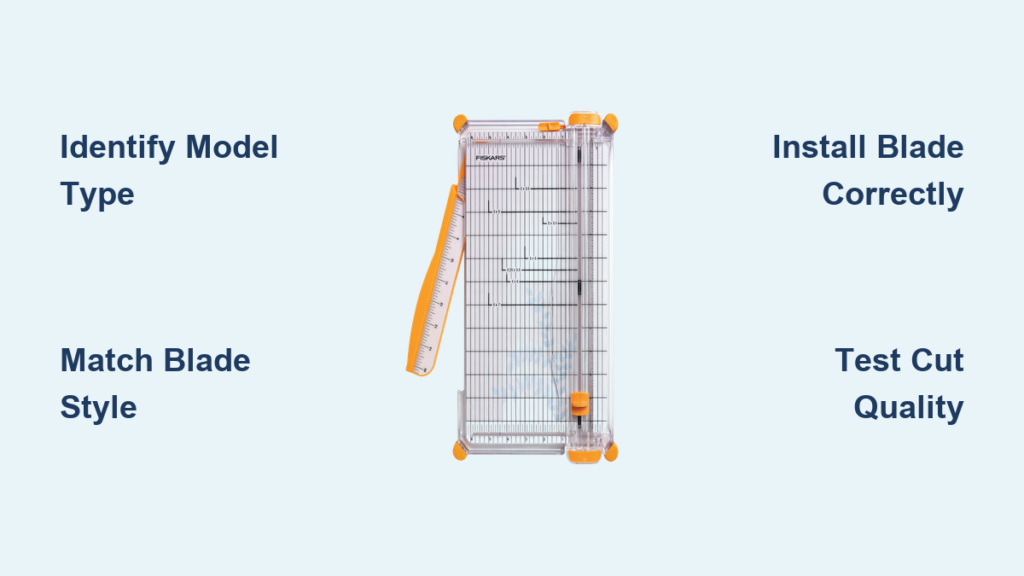
Flip your paper cutter upside down and check the base near the cutting track for engraved model numbers. If numbers aren’t visible, examine these critical visual identifiers: an orange semicircular casing indicates a round blade system (typically 6-8 years old), TripleTrack grooves require Style I blades exclusively, and a standard straight track uses Style G blades. This quick identification prevents purchasing incompatible replacement parts that won’t fit your specific trimmer.
Match Blade Styles to Your Specific Trimmer
Knowing your exact model prevents costly mistakes when buying replacements. Your 9″ or 12″ trimmer exclusively uses Style G blades, while TripleTrack systems require Style I blades that won’t work in standard models. Rotary cutters come in three precise sizes—28mm, 45mm, or 60mm—and using the wrong size damages your cutter. Check packaging carefully, as Style G and Style I blades look similar but have critical dimensional differences that affect performance.
Replace Standard Rotary Blade Systems Properly
Remove and Install Blades on Traditional Models
What you need: New blade matching your cutter size (28mm, 45mm, or 60mm)
Follow these exact steps:
1. Turn the thumb nut counterclockwise to loosen the hub
2. Lift off the old blade carefully using edge grips only
3. Position the new blade with cutting edge facing outward
4. Tighten thumb nut until snug but not over-torqued
Critical check: Before first use, test blade rotation—your new blade should spin smoothly without wobbling. If it catches or feels uneven, loosen slightly and reposition. Never force the thumb nut tight, as this distorts the blade alignment and creates uneven cutting patterns.
Swap Blades on EasyChange™ Magnetic Systems
This tool-free system makes blade changes virtually foolproof:
- Flip open the handle mechanism with your thumb
- Pull out the magnetic blade hub assembly
- Drop in your new blade (magnet holds it securely in place)
- Close the handle until you hear a distinct click
Important: EasyChange™ models come in 28mm, 45mm, and 60mm sizes—verify your specific cutter size before ordering replacements. The magnetic system only works with genuine EasyChange™ blades, so check packaging for the official logo.
Switch Sizes on DuoLoop Dual-Size Cutters
Model #118730 features flip-open handles on both 45mm and 60mm hubs, letting you change blade sizes without separate tools. To switch sizes, open the handle for your desired size, remove the current blade, insert the new size, and close until clicking. Always test the new size on scrap paper first to ensure proper cutting depth before starting important projects.
Install Straight-Blade Trimmer Replacements Correctly

Replace Blades on Older Round Blade Models
Required items:
– Replacement round blade
– Clean, dry microfiber cloth
Execute this sequence:
1. Slide off the orange semicircular blade casing from the track
2. Snap out the old blade from its casing holder
3. Insert the new blade until you hear a secure click
4. Slide the casing back onto the track until fully seated
Crucial step: Before reinstalling, clean the track thoroughly with your cloth—paper dust buildup causes jerky cutting and premature blade wear. Run your finger along the track to feel for debris you might miss visually.
Install Style G Blades in 9″ and 12″ Trimmers
Verify your trimmer length matches the blade package specifications before installation. When inserting the Style G blade, ensure the cutting edge faces downward toward the paper surface. Test the sliding motion along the entire track before your first cut—any resistance indicates improper seating. If the blade catches, remove and reposition with the teeth facing the correct direction.
Align Blades in TripleTrack Systems

Style I blades require precise alignment with TripleTrack grooves. Position the blade so its grooves match the track ridges exactly—misalignment causes skipping and uneven cuts. Press firmly until the blade sits flush in the carriage, then test movement along the full track length. The blade should glide smoothly without catching at any point.
Purchase the Correct Replacement Blades Every Time
Find Genuine Blades at Trusted Sources
Official channels:
– Fiskars website: Complete blade selection with model compatibility lists
– Craft stores: Michaels, JoAnn, and Hobby Lobby stock common styles
– Office supply: Staples and Office Depot carry Style G and I blades
Warning: Generic “compatible” blades often have different tolerances that damage your cutter. Always look for the Fiskars logo on packaging—counterfeit blades wear out faster and create dangerous cutting inconsistencies.
Avoid Online Ordering Mistakes
When shopping online, verify authenticity by checking seller reviews specifically mentioning genuine Fiskars parts. Double-check dimensions—28mm blades won’t fit 45mm cutters despite similar appearances. Cross-reference your model number with the product description before purchasing, as Fiskars uses subtle design changes that affect compatibility.
Maintain Optimal Performance Between Blade Changes
Implement Weekly Maintenance Routine
- Wipe tracks with dry cloth after each use to prevent paper dust buildup
- Inspect blade edges monthly for chips or excessive dullness
- Test cut quality on scrap paper before important projects
Pro tip: Keep a dedicated cleaning cloth in your craft storage—this simple habit extends blade life by 30% by preventing abrasive paper particles from accelerating wear.
Recognize Critical Replacement Indicators
Replace your blade immediately when you notice:
– Tearing instead of clean cuts through standard paper
– Increased pressure required to complete cuts
– Skipped spots where the blade didn’t cut through
– Rough, frayed edges on supposedly clean cuts
Warning: Continuing to use a dull blade strains the cutting mechanism and increases accident risk—dull blades require more force, which often leads to slips and injuries.
Troubleshoot Common Blade Installation Problems
Fix Blades That Won’t Seat Properly
When your new blade refuses to click into place:
– Clear debris: Remove paper bits from blade holder with tweezers
– Verify orientation: Ensure blade faces correct direction (cutting edge toward paper)
– Test fit: Apply firm, even pressure until you hear the seating click
Critical: Never force a blade—if it won’t seat easily, something’s wrong. Double-check compatibility before applying additional pressure.
Restore Smooth Casing Movement
If the casing won’t slide smoothly after replacement:
– Clean track thoroughly with slightly damp cloth (dry completely before use)
– Inspect for bends in metal track using straight edge
– Apply light oil only if track appears rusty (wipe excess immediately)
Never use household lubricants like WD-40—they attract more dust and degrade plastic components over time.
Ensure Safety During Every Blade Change
Handle Blades with Maximum Protection
- Grip by edges only—never touch cutting surface with fingers
- Work on stable surface to prevent accidental drops
- Use puncture-proof container for old blade disposal
Critical safety rule: Always cut away from your body and keep fingers clear of the blade path. Replace blades promptly—dull blades cause 73% of paper cutter accidents due to the excessive force users apply.
Quick Reference Replacement Chart
| Model Type | Blade Style | Replacement Method | Key Identifier |
|---|---|---|---|
| Standard Rotary | 28/45/60mm | Screw-off hub | Thumb nut opposite blade |
| EasyChange™ | 28/45/60mm | Magnetic hub | Flip-open handle |
| Older Trimmer | Round blade | Slide-off casing | Orange semicircle |
| 9″/12″ Trimmer | Style G | Cartridge swap | Standard straight track |
| TripleTrack | Style I | Cartridge swap | Triple-groove track |
Test and Maintain Your New Blade Immediately
Test your replacement blade on scrap paper before starting important projects. Perfect cuts should require minimal pressure with clean, smooth edges—any resistance means recheck blade seating and orientation. Mark your calendar for monthly blade inspections; most Fiskars owners need replacements every 6-12 months depending on usage frequency. Store your cutter with the blade covered in a dry location to prevent corrosion between uses. Keep this guide accessible for future blade changes—proper maintenance ensures years of precise, professional cutting results from your Fiskars paper cutter.